
ZoogVPN and torrenting: speed, and the leak test that matters
There are two questions about a VPN and P2P, and most reviews only answer the easy one. The easy one is whether it is fast. The one that actually protects you is whether the torrent client's own traffic goes through the tunnel — because the client opens its own sockets, and a browser IP check tells you nothing about them. We tested both, on a Vienna server over WireGuard, using a legal Ubuntu image.
Throughput
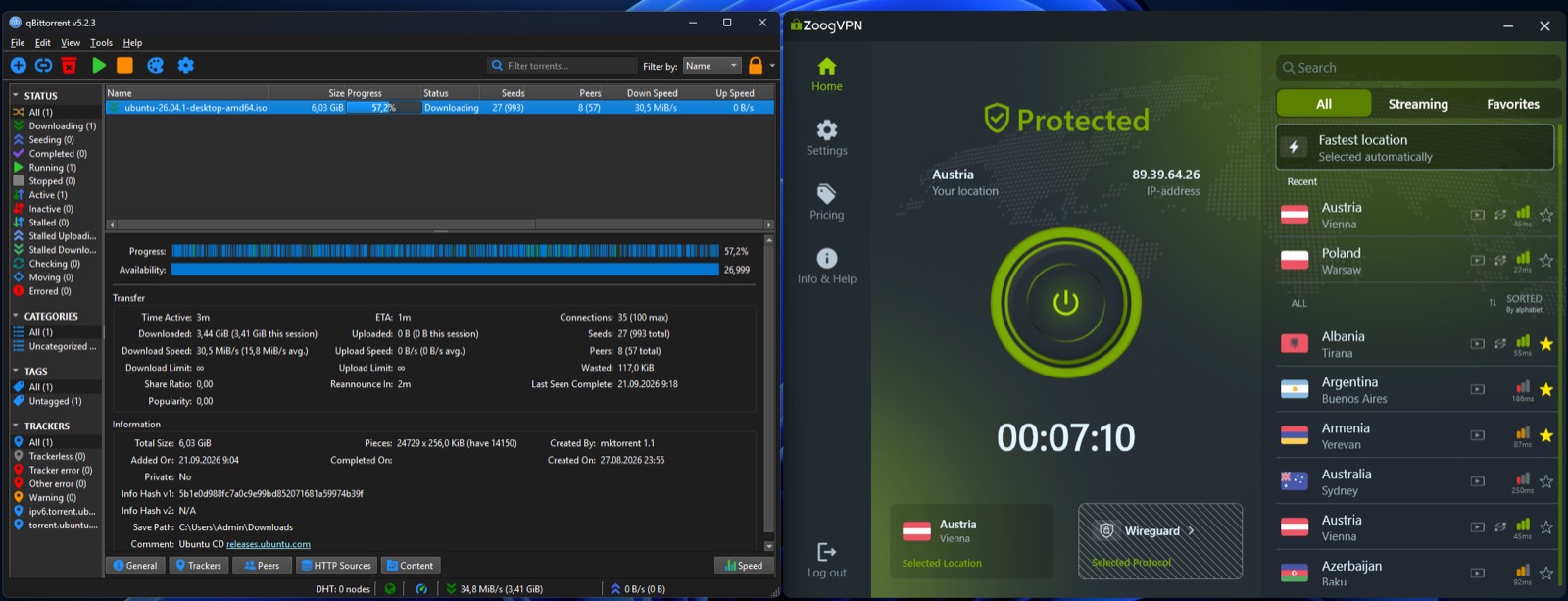
30.5 MiB/s is roughly 256 Mbit — about 85–90% of the line's measured baseline, and reached through a live swarm rather than a single cooperative test server. 3.44 GB arrived in three minutes of active time. The client session average, 15.8 MiB/s, includes the ramp-up; the instantaneous rate is the honest headline and the average is there if you want it.
The leak test most reviews skip
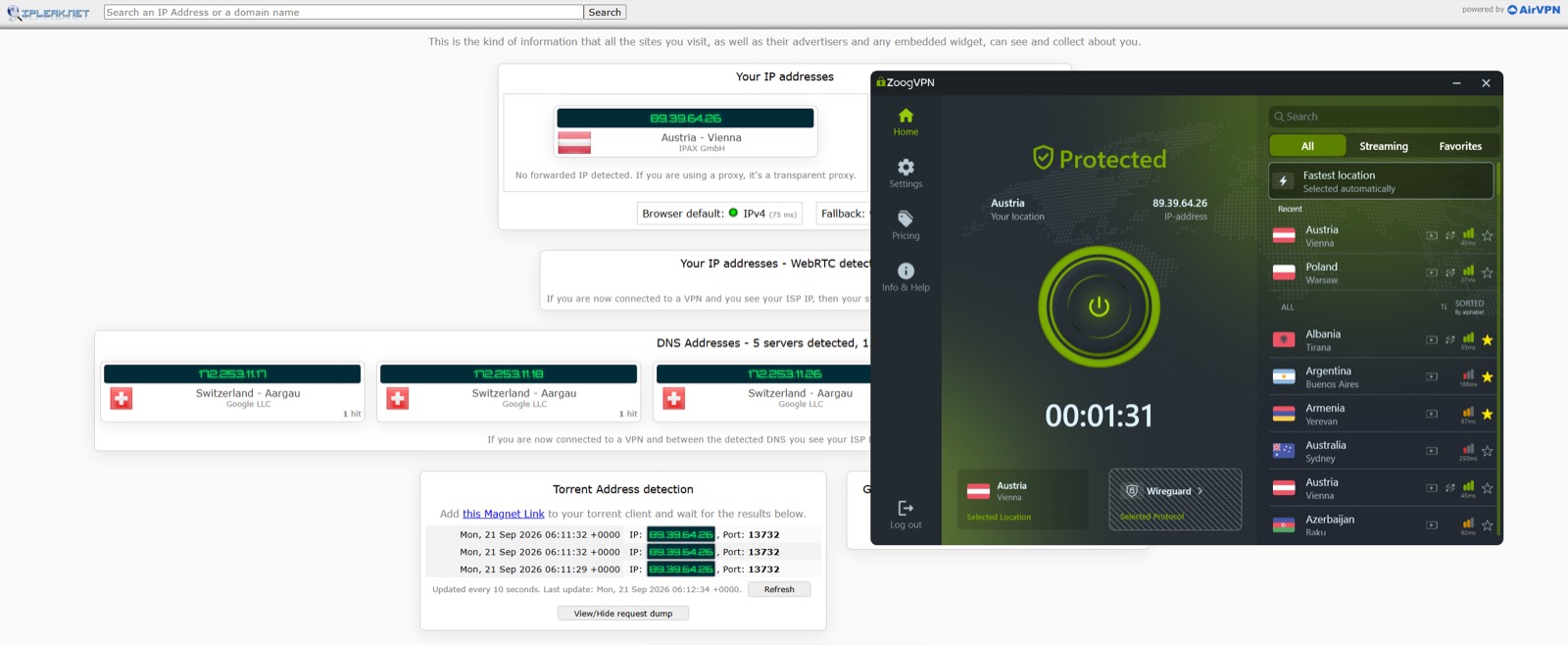
ipleak.net does something a browser IP check cannot: it hands you a magnet link, watches what address actually connects, and reports it. Here it saw 89.39.64.26 — the Austrian exit — three times, timestamped, matching both the browser IP and the address in the ZoogVPN window. The page also reports no forwarded IP detected, meaning there is no transparent proxy sitting in the path.
That is the result that matters. The torrent client's own sockets were inside the tunnel, not beside it.
Pick a P2P server
The location list in these screenshots marks servers with a P2P badge, and Vienna carries one. The swarm connected and held full speed there. We tested one server, so the useful instruction is not "use Vienna" — it is "use a location the client marks P2P", which is a rule that keeps working after this page goes stale.
Limits, and one deliberate choice
- One server. Vienna is P2P-badged; nothing here speaks for locations that are not.
- No kill-switch-drop test. The leak test ran on a stable connection. What the torrent client announces during a reconnect is the realistic leak window for P2P, and it remains untested.
- Port forwarding was not tested. The port shown is the client's listening port, not evidence of an inbound-reachable setup.
- The payload was an Ubuntu ISO. Deliberately — this is a test of the connection, not an invitation to infringe copyright.