
ZoogVPN Review: Is It the Right VPN for You?
ZoogVPN is a Greece-headquartered VPN service that has been operating for over a decade, with dedicated apps for Windows, macOS, iOS, Android, Fire TV, Android TV, Linux, and routers, plus a Chrome extension. Rather than competing on brand recognition, it competes on value: a low price, a genuinely useful free tier, and features aimed squarely at the two hardest VPN use cases — unblocking streaming libraries and staying connected from restrictive countries. We analyzed 1,288 verified reviews across four platforms to see whether the marketing holds up.
Pricing: how much does ZoogVPN cost?
ZoogVPN's Premium plan starts at $2.49/month on the 2-year plan, $9.99/month if you pay monthly. That undercuts NordVPN ($3.09–$3.49), ExpressVPN ($2.49–$3.49) and Proton VPN ($2.99+) at their own cheapest long-term rates, and sits close to Surfshark and CyberGhost — the two cheapest names in the industry. Unlike Surfshark and CyberGhost, ZoogVPN also has a genuine free-forever plan with 30GB of monthly data, expandable at no extra cost. All paid plans include a 7-day money-back guarantee.
Speed and reliability
Across the reviews we read, speed is the single most-repeated compliment. Users specifically call out smooth 4K streaming, stable connections during video calls, and minimal slowdown compared to VPNs they'd used previously. One Chrome Web Store reviewer, after "testing dozens of VPNs," called ZoogVPN "the best for daily use" with speeds that make "streaming in 4K a breeze." The only recurring drawback mentioned is occasional congestion on popular servers during peak evening hours — a limitation shared by every VPN provider, premium or free.
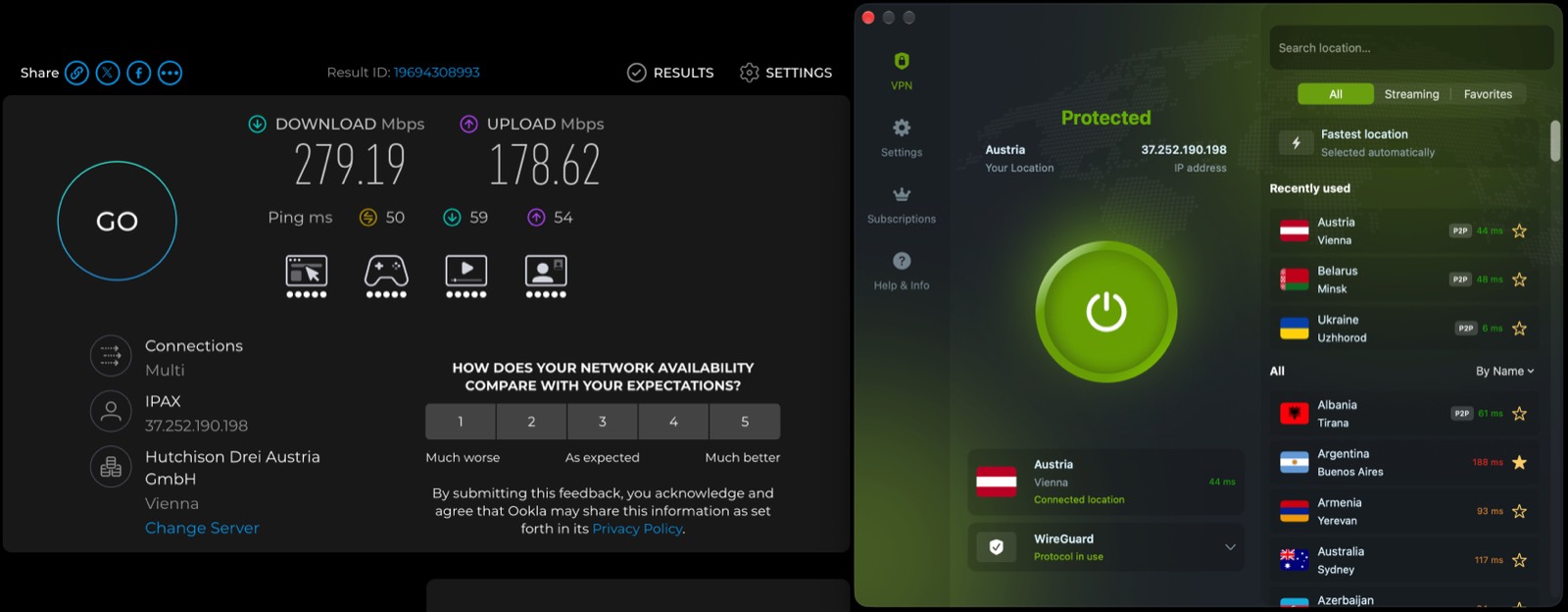
We stopped taking that on trust and measured it. On a 292 Mbit line, a Vienna server on WireGuard returned 279.19 Mbit down — a 4–5% loss, smaller than the line's own run-to-run variance. Upload is the weak spot: 178.62 Mbit against a 295 Mbit baseline, a 40% drop. All ten speed measurements, with the baseline →
Streaming: does it unlock Netflix and other platforms?
Yes. Premium plan users repeatedly report successful access to Netflix, Amazon Prime Video, Disney+, and BBC iPlayer across 20+ regional libraries. This is a Premium-only feature — the free plan does not unlock major streaming platforms, which is standard across the industry (Proton VPN's free tier has the same restriction).
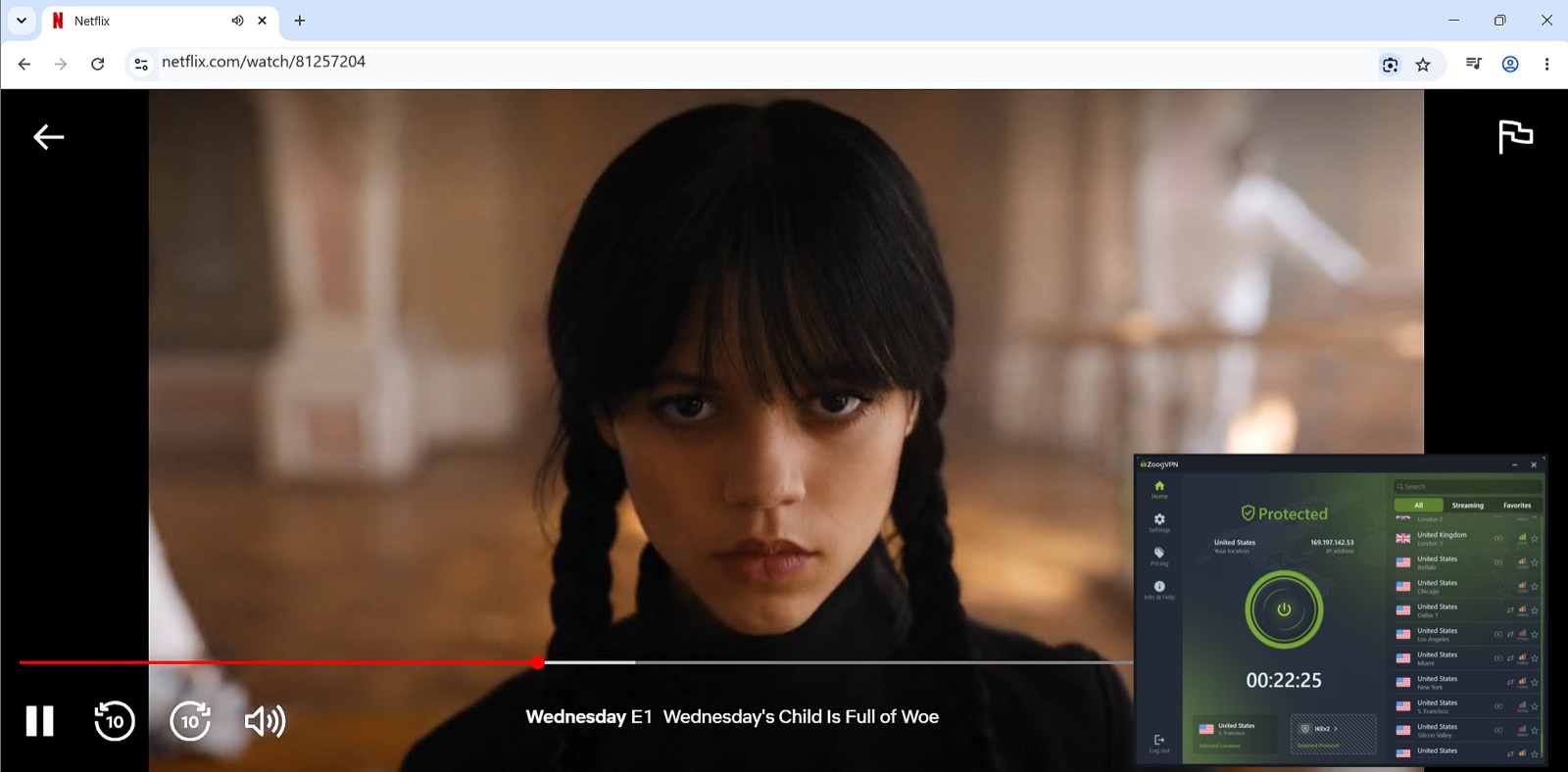
We tested this ourselves rather than relying on the reviews. Netflix US played for 22 minutes on a San Francisco server with no proxy error, Prime Video played on the same connection, and BBC iPlayer went from blocked to playing in one unbroken recording. Disney+, HBO Max and Hulu we did not test — so we are not claiming them. The Netflix test → · The BBC iPlayer test →
Does ZoogVPN work in China and Russia?
This is where ZoogVPN differentiates itself most clearly. Reviewers based in China and Russia describe connections that survive network restrictions where other VPNs failed them, crediting ZoogVPN's obfuscation ('Shadow') protocol for staying undetected. One reviewer used it successfully throughout a business trip to China to reach email and Google Drive; another, writing in Russian, called it "the best VPN in Russia today." ExpressVPN is the only major competitor reviewed here with comparable obfuscation support for China; NordVPN, Surfshark, CyberGhost, and Proton VPN's standard protocols are not built specifically for this use case.
This is the claim we most wanted to check, because it is the one every VPN makes and almost none of them film. We recorded four unblocks — Google and YouTube from China, YouTube and Instagram from Russia — and every single one ran on the Shadow protocol, which is the practical instruction to take away: for these countries, the protocol picker is the setting that decides whether it works. The China recordings → · The Russia recordings →
Device limits and multi-platform support
A single ZoogVPN Premium subscription covers 10 simultaneous devices — matching NordVPN and ExpressVPN's Basic tier, beating CyberGhost's 7-device cap, and equal to Proton VPN's paid plan (whose free tier allows only 1 device). Only Surfshark beats it outright, with unlimited devices on every plan.
Security and privacy
ZoogVPN uses 256-bit AES encryption on Premium plans (128-bit on the free plan), a strict no-logs policy, and a kill switch to prevent data leaks if the connection drops. It has operated for over ten years without a reported data-handling incident.
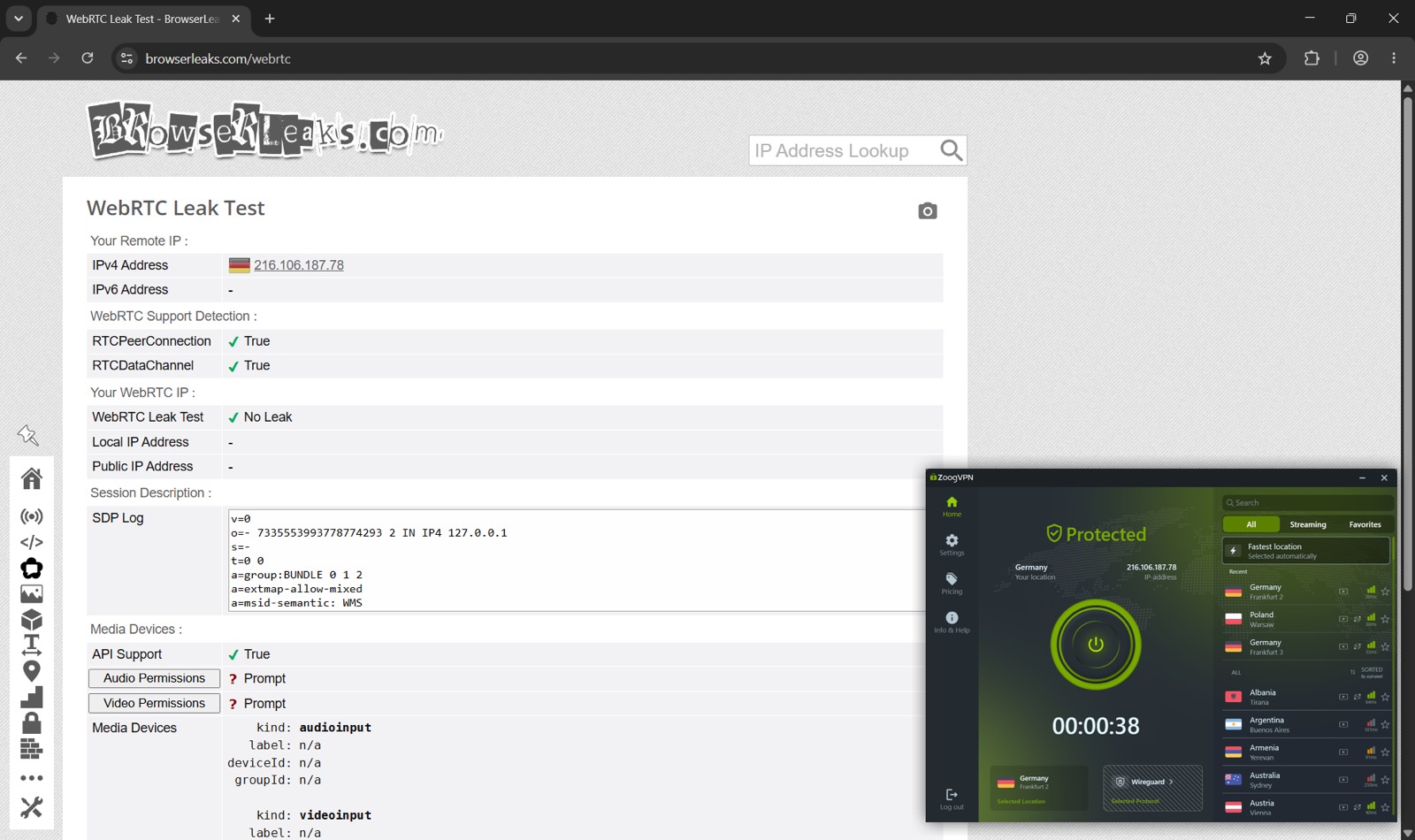
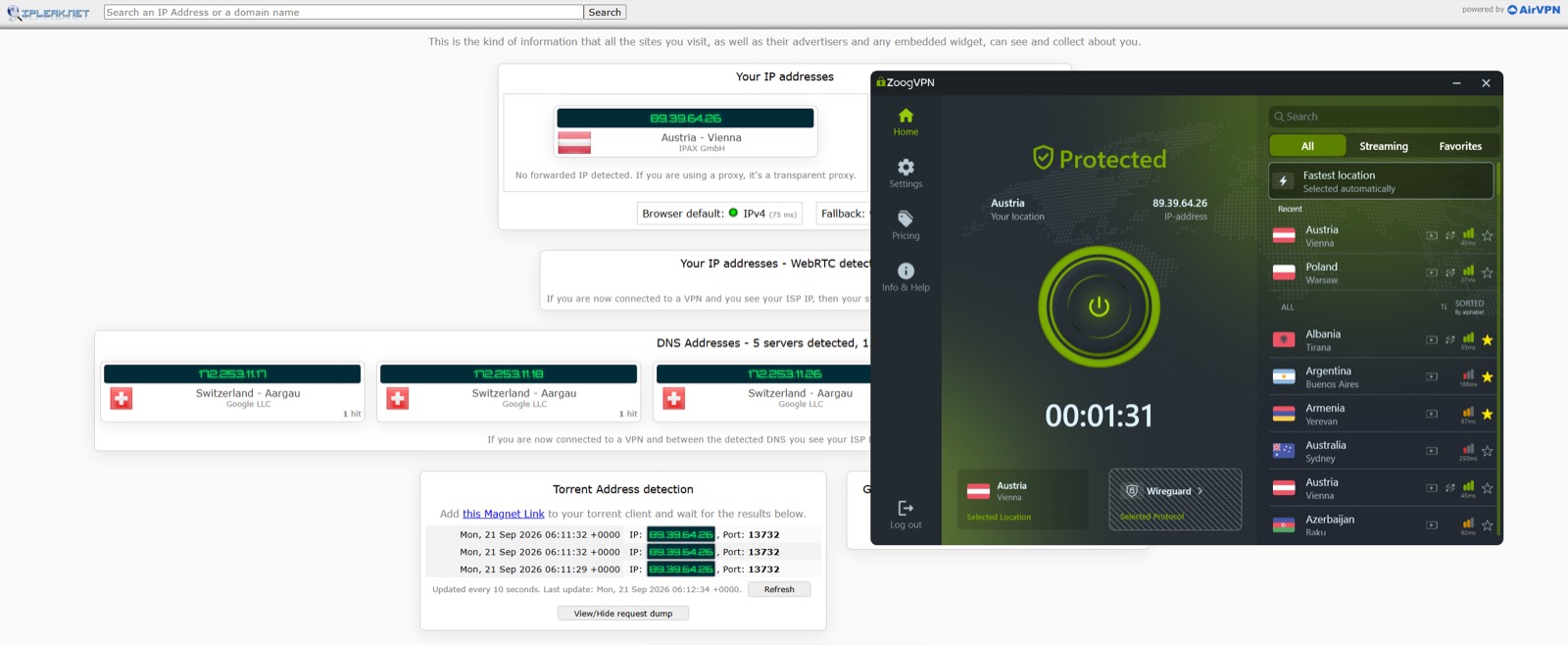
Claims like these are testable, so we tested them. DNS leak tests on three servers across Switzerland and Germany came back clean — every detected resolver sat in the country we had selected, with the unprotected Ukrainian resolvers visible in the 'before' half for comparison. A WebRTC test returned No Leak, cross-checked against the exit IP in the client window. One caveat we will not bury: those resolvers are Google's, in the right country — not private ZoogVPN resolvers. The leak tests →
Customer support
Support quality is a recurring theme in the positive reviews — not just that support exists, but that it responds fast and solves problems. One user documented a 35–40 minute live-chat session that resolved a Linux authentication issue step by step; another reported support responding and fixing an outage in the middle of the night. This kind of hands-on troubleshooting is mentioned far more often, and more specifically, than with most competing VPNs' review sets.
What users don't like
The complaints in the dataset are minor and consistent with any VPN service: occasional peak-hour congestion on specific servers, some early Android-vs-macOS inconsistency reported by a small number of users, and a shorter 7-day refund window on Premium compared to the 30–45 days offered by some competitors. No pattern of security concerns, data-selling, or non-functional service appears in the review set.
ZoogVPN is best suited to three groups: budget-conscious users who still want a full 10-device Premium plan, streamers who need reliable access to multiple Netflix libraries and similar platforms, and anyone connecting from China, Russia, or another restrictive network who needs a VPN engineered for that specific problem. If your priority is the single largest server network on the market, NordVPN edges ahead; if you specifically want unlimited devices, Surfshark does. But on price-to-feature value — factoring in the free plan, the 10-device limit, and the streaming and censorship-circumvention track record — ZoogVPN is difficult to beat.
Get ZoogVPN FreeTorrenting and P2P
A Vienna server marked P2P pulled an Ubuntu ISO at 30.5 MiB/s — about 85–90% of the line — and, more importantly, ipleak.net's magnet-link probe saw the Austrian exit IP rather than the real one. That is the test that matters for P2P, because the torrent client opens its own sockets and a browser IP check says nothing about them. The torrenting test →
Split tunnelling
On Windows, ZoogVPN splits traffic by application: we put Edge through a French exit and left Chrome on the real connection, and both showed their own country at the same moment. Worth knowing before you enable it — on Windows, split tunnelling and the kill switch are mutually exclusive. The split tunnelling test →